This is a CMS that was for a Solar Energy company. I worked on the front-end of the site and helped develop layout...
Current Works
18
GreenFeast
drew
10:33:10 AM

This site is the non-profit I am a director of. It has a whole lot of awesome things happening, and It is a...
10
Blue Moon Revue
drew
10:32:19 AM
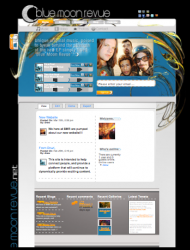
This is a CMS that I built for the band Blue Moon Revue. It makes it possible for them to post shows and pictures...
14
Coast
drew
12:52:23 PM

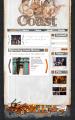
This is the new site for Coast, A new bluegrass band in Chicago. I made the site to help promote their shows,...
14
REM Photography - Site Redux
drew
10:02:39 AM
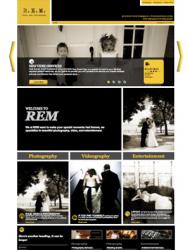
This is the reworked version of an original site. The main challenges were to get a way to organize the information...
14
Burton History Trees
drew
10:14:13 AM
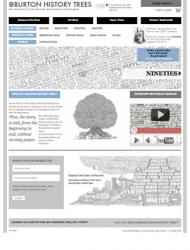
This is The e-commerce platform I built for my company Burton History Trees. I used Drupal Ubercart to get It...
21
Jolie Wernette-Horn Portfolio
drew
06:54:05 PM

This is a portfolio I made for Jolie. It uses Drupal to let her customize her slideshows and organize her content....
Sep 10
Oct 09
Oct 09
Aug 09
Aug 09
Aug 09
Aug 09
Aug 09
Aug 09
Aug 09
Jul 09
Jul 09
Jul 09
Jul 09
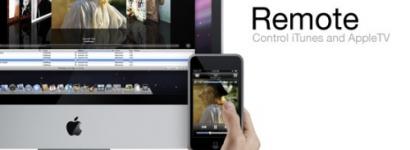
Use your Iphone as a Itunes Remote
Step One:
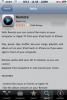
Install “Remote” from the appstore. It is a free application.
Step Two:
Load Itunes on your PC. Any version should work, but to be sure, you should install the newest Itunes update.
Step Three:
Ensure that your Iphone is on the wireless network that your Itunes is connected to. Load up Remote on your Iphone.
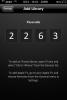
Click “Add Library”. Your Remote application will scan your network for Itunes running on other PC’s. It will then give you a passcode that you input into Itunes.
Step Four:
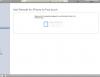
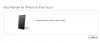
In you itunes window, You should now see an option on the right under Devices with the name of your iphone. This is NOT the section you would see if you had your iphone plugged in and syncing, but should have the name of your iphone and nothing else to select. Click that, and you should be prompted for your Passcode from the iphone. Enter the code, and you should see a “…’s Iphone can now control your Itunes library” message.
Step Five:
On the Iphone, you should now see your whole itunes library. Keep in mind, this App does NOT let you hear the music on your Iphone, it simply acts as a remote device for your computer. Scroll through all your Itunes music and play what you want!

(1 vote)
Druzi-Articles
I have a lot of trees left.... Burton History Trees!
This is the second part of my typography series. I have decided to...
Well for starters, typography is not easy.Simply put, these days, It can make...
As an interactive designer that works for a small studio, and primarily...
- 1 of 13
- ››
Graphic Design